Download
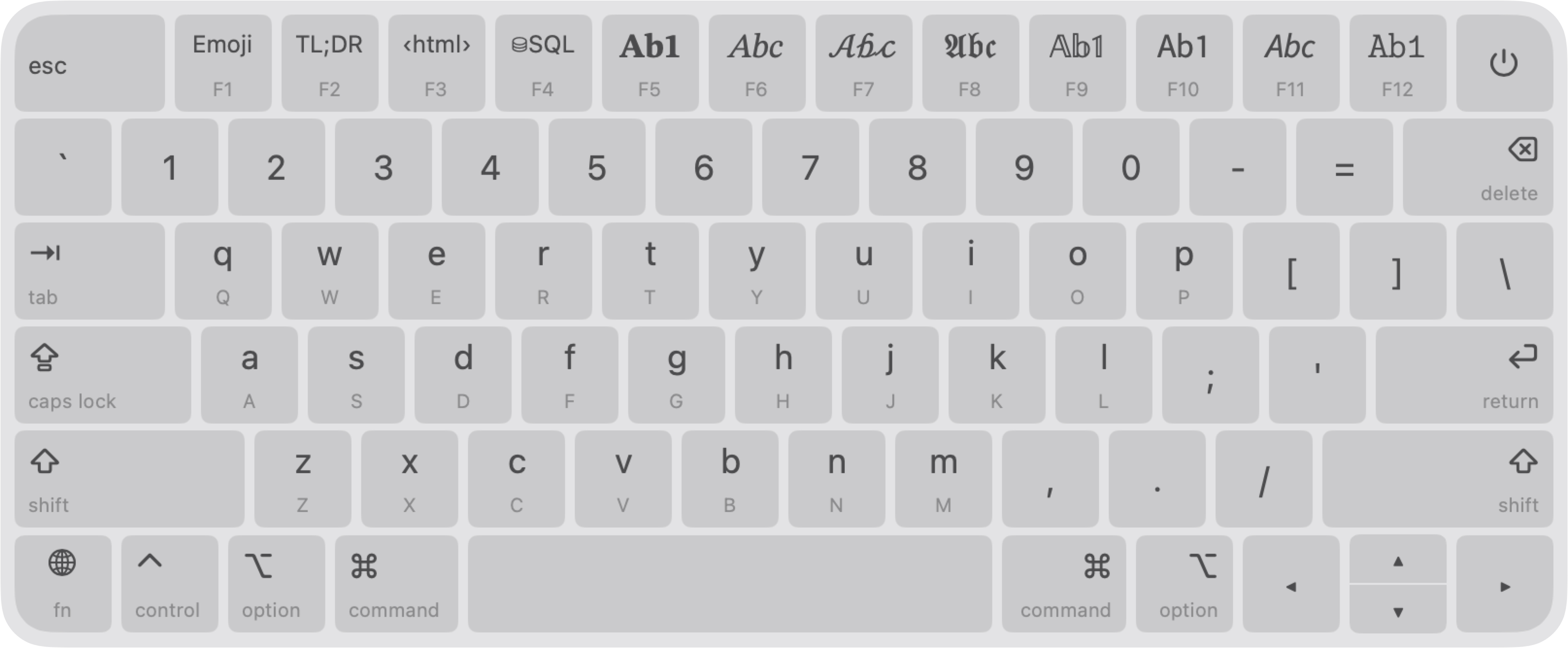
AltKeyboard is a powerful macOS app that runs in the background, displaying a translucent virtual keyboard overlay inspired by Apple’s design. It lets you customize keys, view shortcut hints, and boost productivity with ease.
Getting Started
First Launch
- Grant Permissions: On first launch, AltKeyboard requests accessibility permissions to function.
- Login Item: Opt to add AltKeyboard to your "Open at Login" items for seamless use.
- Menu Bar: Click the
⎇icon in the menu bar to access controls and settings.
Main Features
Keyboard Overlay
The overlay appears when you hold custom modifier keys. You can also show it permanently using the app menu or by pressing the Option key twice. Drag the overlay by its edges to reposition the keyboard.
- Highlights pressed keys and shows tooltips on hover.
- Supports mouse clicks or physical key presses.
- Modifiers stay pressed when clicked until a non-modifier key is pressed.
Virtual Layouts
Create custom layouts in the Virtual Layout Editor and manage them in Layouts Settings:
- Customize: Add keys with custom input, legends, and hints.
- Activate: Set layout activation modifiers (disable them in the menu or by pressing the
Optionkey three times). - Group: Assign layouts to groups, switched with function keys (F1-F12) or the app menu.
- Share: Export layouts as
.altfiles or import from others.
Customization
- Overlay: Set the overlay display delay, choose modifier keys, hide key names, labels, or hints.
- Appearance: Adjust scale, material transparency, and light/dark mode.
- Extra: Enable key press or clipboard sounds, clipboard notifications, and more.
Tip: The ‹⌥› modifier refers to the left or right Option key (but not both), so you can still access system layout symbols by pressing both Option keys simultaneously.
Usage Scenarios
- Fast Emojis: Assign emojis to keys for quick chats.
- Symbol Access: Enter symbols using
OptionorOption-Shifteffortlessly. - Mouse or Touchpad Input: Click overlay keys or combine with physical presses.
- Shortcuts: View system shortcuts with hints when pressing modifiers.
- Snippets: Create layouts for phrases or templates (e.g., HTML, SQL).
- Foreign Languages: Display system layouts for multilingual typing.
Tip: Enjoy typing with key press sounds through noise-canceling headphones! 🎧
Privacy & Security
AltKeyboard keeps your data safe:
- No typing is recorded or stored.
- No internet access required.
- Password fields remain unreadable by the app.
Support
Questions? Feature requests? Contact us at altkeyboard@dnv1ex.com.